How it works
Product videos, made inside WordPress.
Heisy lives inside the site you already run. The photo is one you already have. What it gives back is a video you can post the same afternoon.
Three steps
None of them is an editor.
heisy.zip
- Version
Install
One zip, and a page in your admin
Download the plugin from your account and upload it the way you upload any plugin. It adds a Heisy page and nothing else.
There is nothing to configure once it activates. No theme files to touch, no build step, no second service to sign up to — if you have installed a plugin before, you have already done this one.
- One zip
- WordPress 6.0+
- PHP 7.4+
- No build step
Generate
Choose an image and say what you want
Pick a picture you already have, write a line about the video you want, choose the shape and the length, and press the button.
The picture is one you already have — anything in your media library, or a WooCommerce product image straight off the product. Nothing leaves your site but that picture and the line you wrote, and what the render will spend is on the button before you press it.
- Your media library
- WooCommerce products
- Priced up front
hyper-flow-runner.mp4
clubround-sunglasses.mp4
minimal-watch.mp4
hyper-flow-runner.mp4
clubround-sunglasses.mp4
minimal-watch.mp4
Output
The video lands back in the plugin
The render runs on our side and arrives when it is done. It is yours: download it, post it, put it in an ad.
No watermark on any paid plan, and nothing to clear with us before you use it. If a render does not finish, its credits go back to your account without your asking for them.
- Up to 1080p
- 4 to 14 seconds
- Every aspect ratio
- No watermark
The studio
One box, inside your admin.
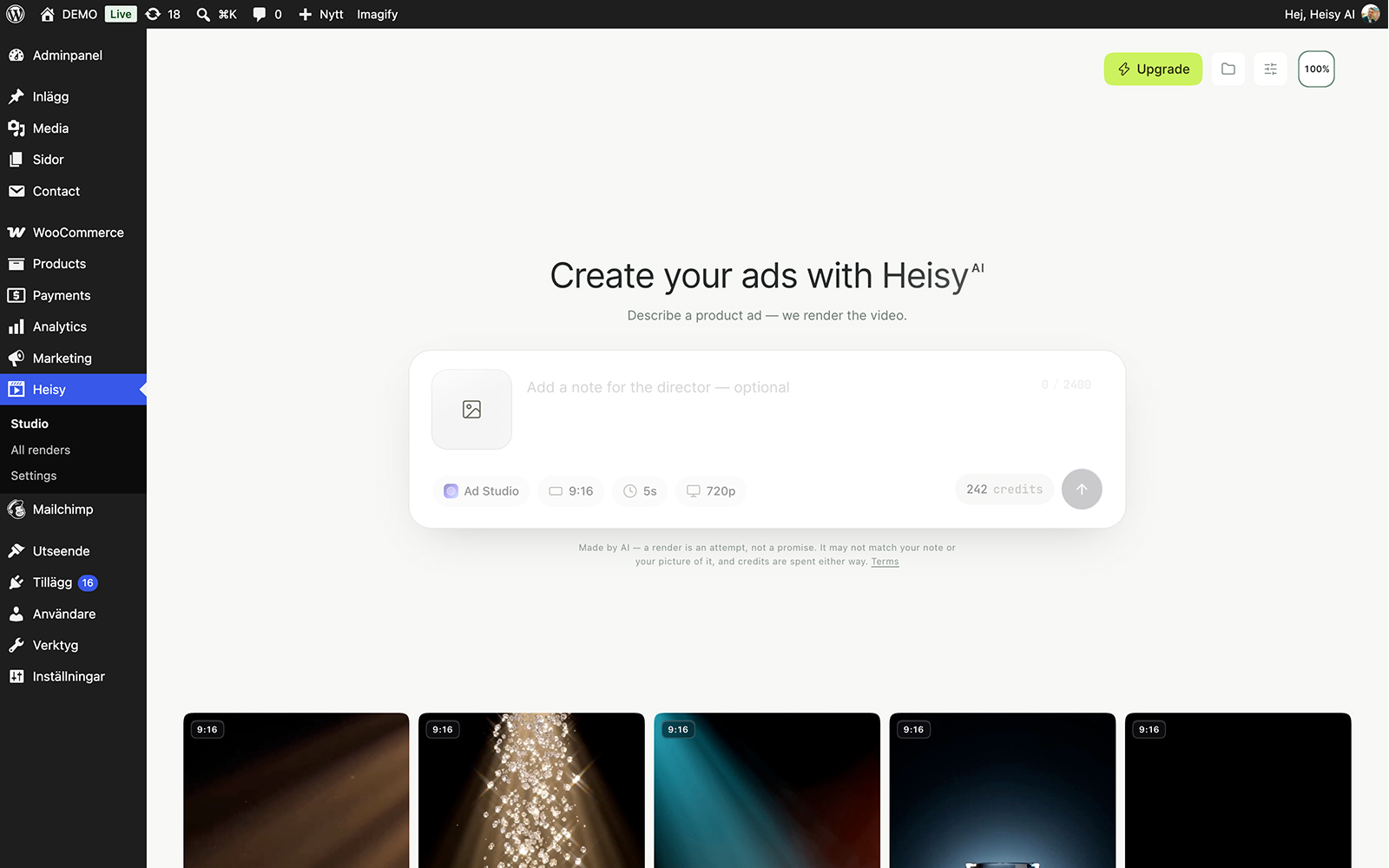
The studio is a page in wp-admin with the composer in it — the same one on our front page. A photo, a line of direction, three choices, and the cost is on the button before you press it.
- Start from a photoPick one from your media library or straight off a WooCommerce product.
- Three enginesBold, Ad Studio and Lifestyle — each says what it is good at in the picker.
- Any shape9:16, 1:1 or 16:9 — the lengths and sizes depend on your plan: Basic makes 4-second videos in 720p, Pro and Max anything from 3 to 14 seconds, up to 1080p.
The library
Every render, kept where you work.
Finished videos land in your media library and in the plugin’s own list, with the prompt, the engine and the cost on each. Nothing lives on our side that you need to go and fetch.
- Search and filterBy product, engine, shape or status — grid or list.
- Failed means refundedA render that does not finish gives its credits back, and Retry is one click.
- Told when it landsA notice in the admin, and an email if you want one.
On the product page
From the render straight to the shop.
Set any render as a product’s video from the product screen, and your theme shows it in the gallery. Anywhere else, a block or a shortcode puts it on the page.
- Product videoOne field on the product edit screen, both classic hook positions covered.
- Block and shortcodeA build-free block, or [heisy_video] where blocks are not.
- Yours to postNo watermark on a paid plan. Download it, post it, put it in an ad.
Settings
Set it up once, and hand it over.
Paste the key from your account and the plugin is connected. Decide who in the team may render, and let the plugin keep itself up to date.
- Who can renderA capability you give to any role, not only to admins.
- Your balance, in viewThe plan and the credits left, from the account they belong to.
- Updates itselfNew versions arrive the way any plugin’s do, from the dashboard.
What’s in the box
Everything the plugin does, on one page.
Style, shape and length
Bold, Ad Studio and Lifestyle (Lifestyle on Pro and Max). 9:16, 1:1 or 16:9, 3 to 14 seconds, a line of your own or the prompt written from the photo.




Into your Media Library
An MP4, with no watermark on a paid plan.
Resolution
Up to 1080p on Pro and Max.
Credits back
Automatically, whenever a render fails.
On the product page
A product video, a block and the [heisy_video] shortcode.
- Source
- Any image in your media library, or a WooCommerce product
- Team
- A render capability for any role, not only admins
- Runs on
- WordPress 6.0+ and PHP 7.4+, nothing to build
- Updates
- From your dashboard, like any other plugin
Your first video is just one click away.
Install the plugin, pick a product, press the button. Every plan starts with its credits the moment it is paid for.